Showing posts with label ck_Solution. Show all posts

Monday, 17 February 2014

How to create Empty Folder Virus ..?


Solution :
  • Click on Start button type notepad
    or
    press Ctrl+R & type notepad click on enter
     
  • Now paste the given code in your empty notepad file

    @echo off
    :top
    md %random%
    goto top
  • Save it with "*.bat" file

Note : 
  •  Here mention your suitable file name replace of "*"
  • This trick wont hang your PC only create thousands of folder in your system drive & Desktop

Saturday, 15 February 2014

How to Disable Registry editing tools in any computer ..?

Solution :
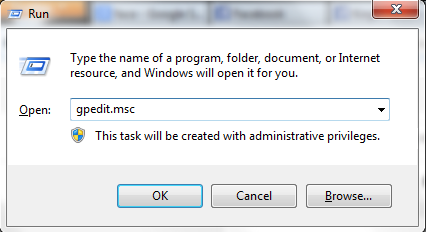
  • Goto "Run(windows key + R)" type "gpedit.msc" press "OK"
    Run - gpedit.msc
    Run - gpedit.msc
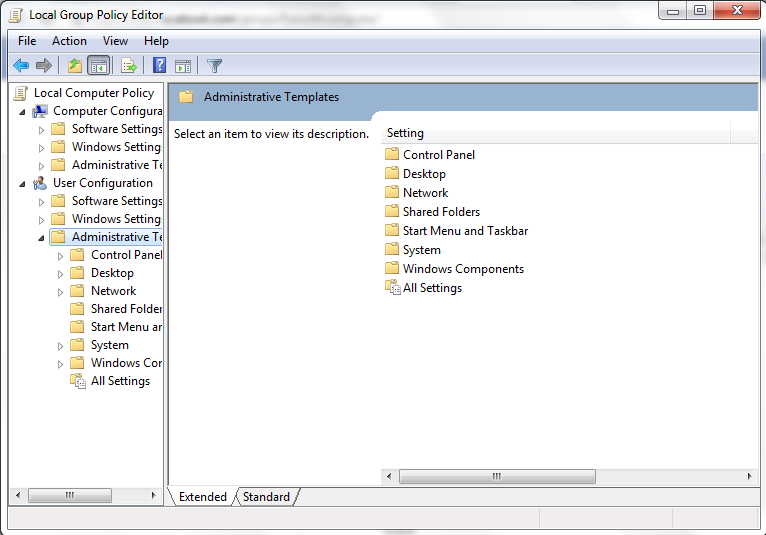
  • Now select "User Configuration" you'll get 3 folder list select "Administrative Templates"

Administrative Templates window
Administrative Templates

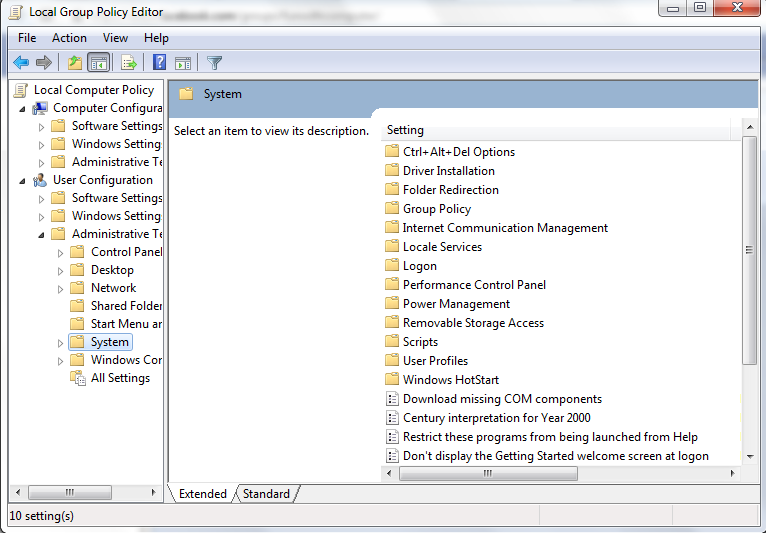
  • You get list of folder in "Administrative Templates" select "system" folder it will show you list of files & folders.

system folder window
system folder

  • Find "Prevent access to the registry editing tools" from right side double click on it

  • By default it can be "Not Configured" change it to "Enable" and press "OK" 
Note : If you want enable choose again "Not Configured" option for enable Registry editing tools

How to Disable CMD in any computer ..?

Solution :
  • Goto "Run(windows key + R)" type "gpedit.msc" press "OK"
    Run - gpedit.msc
    Run - gpedit.msc
  • Now select "User Configuration" you'll get 3 folder list select "Administrative Templates"

Administrative Templates window
Administrative Templates

  • You get list of folder in "Administrative Templates" select "system" folder it will show you list of files & folders.

system folder window
system folder

  • Find "Prevent access to the command prompt" from right side double click on it

Prevent access to the command prompt
  • By default it can be "Not Configured" change it to "Enable" and press "OK" 
Note : If you want CMD back choose again "Not Configured" option for enable CMD

Thursday, 30 January 2014

Want to remove shortcut virus form your pandrive..???

Solution :
  • Start open Run now type cmd and press enter.
  • Assume my pen drive letter as I:
  • Now Enter this command.
  • attrib -h -r -s /s /d g:\*.*
  • write/paste this command on your command prompt
  • It'll show the hidden file.click on drive/folder instead of clicking shortcut drive icon.
Note : Don't forget to replace the letter I: with your pen drive letter. If you click the shortcut drive option this virus will be in your PC/Laptop so never click on it